It's all free Players and clubs. Nothing to install.

Paid for 3 hours. Played 45 minutes? Never again.

Dink Deck runs pickleball open play. Find a night and join from your phone, or book a court or a coach — and at the court, the board deals every game.
  • Fair queueWhoever sat longest plays next. Nobody sits out twice in a row.
  • Close gamesSkill-matched from the people actually in the room.
  • A real rankEarned game by game. It follows you to every court.
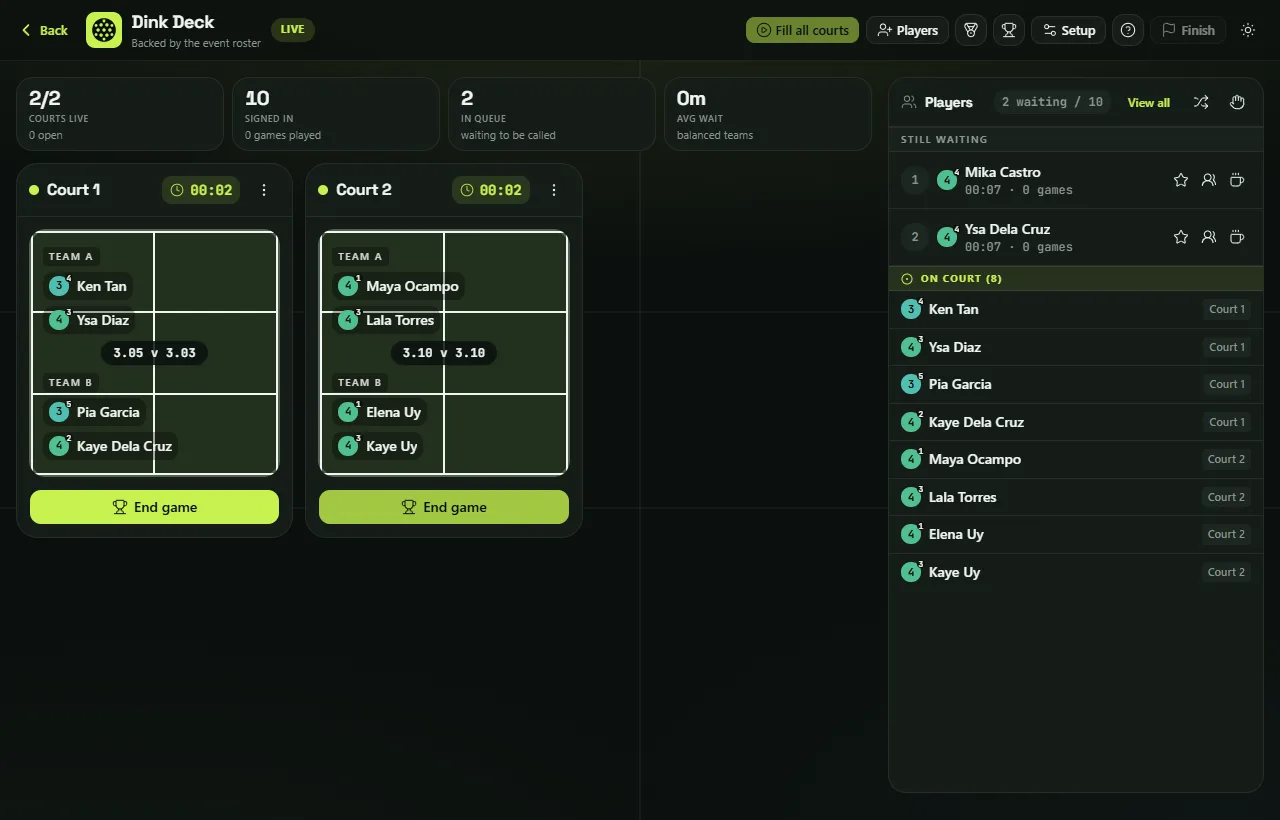
The host's desk mid-night: two courts playing balanced games, each side's rating shown, and the queue of who is next down the right
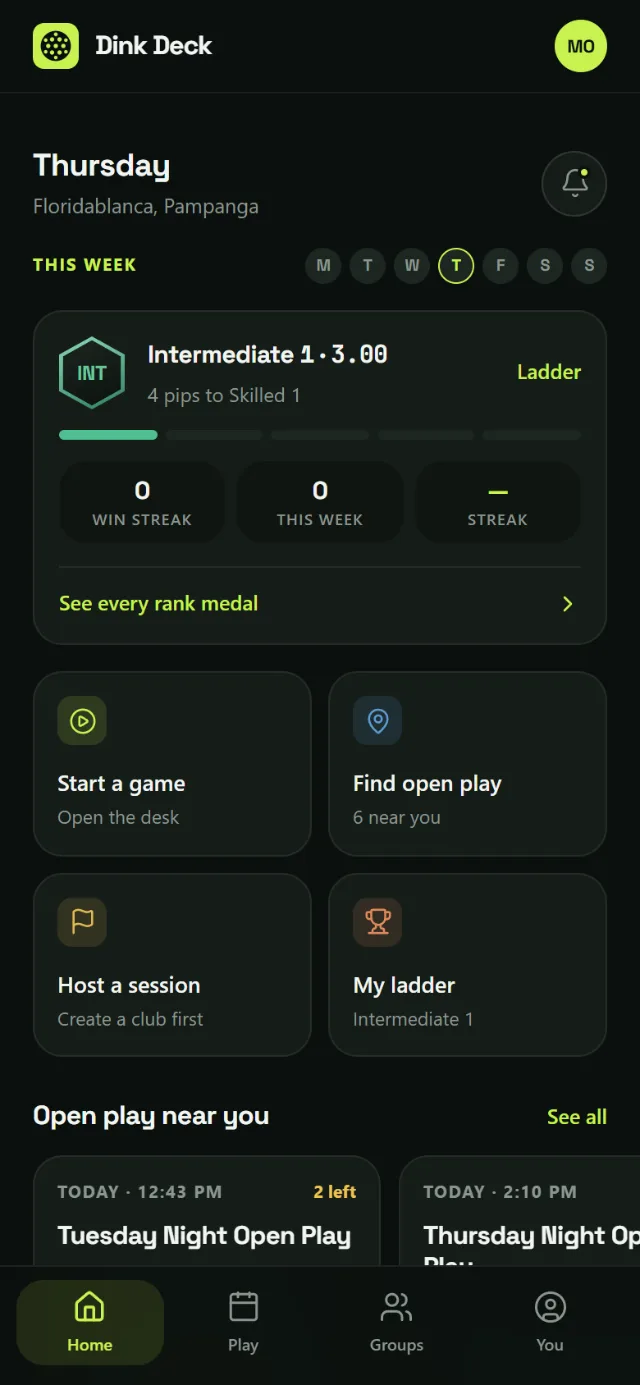
A player's home screen: book a court, find a coach, open play near you, tournaments, and their rank with pips to the next one

Sounds familiar?

Every open play has the same six problems.

“Sino next?” shouldn't be the most-asked question of the night. Here's each one, fixed.

The sign-up list in the group chat, edited 47 times.
The sign-ups are the roster.Players join from their phone — or land on the waitlist. Nobody types names at the desk.
Paid for three hours, played forty-five minutes.
The board deals every game.Longest wait plays next, nobody sits out twice in a row, and the same four don't go straight back on.
“Intermediate” means whatever anyone says it means.
A rank that's earned.Seven ranks, five pips each, in the DUPR bands. Win a game, gain a pip; lose one, drop one.
The same four strong players hold the court all night.
Close games, and a crown for the strong.Games are matched from who's in the room. Want to defend? That's what the challenger court is for.
“Sino next?” — asked by everyone, answered by no one.
Your place, on your own phone.The live board shows the queue. Anyone with the link can watch, no account needed.
Who paid? Who still owes? Who just didn't show?
The count keeps itself.Who paid, who owes, one nudge. GCash or cash stays between people — the app never touches the money.

Watch it first

Everything, in under a minute.

Finding a night, getting in, the board dealing games, the rank you earn, the recap after, and booking a court or a coach. Every frame is the real app.

Sharing it in a group chat or a story? Get the vertical cut.

Your rank is real

Not “around intermediate-ish.” Earned.

Every game you play moves you. Seven ranks in the bands you already know from DUPR and UTPR, five pips in each — and your medal follows you to every court.

  1. PROPro 4.5+
  2. ADVAdvanced 4.0–4.49
  3. SKLSkilled 3.5–3.99
  4. INTIntermediate 3.0–3.49
  5. IMPImprover 2.75–2.99 · you, 3 pips in
  6. NOVNovice 2.5–2.74
  7. BEGBeginner 2.0–2.49

Somebody is #1 in your town right now. Might as well find out who.
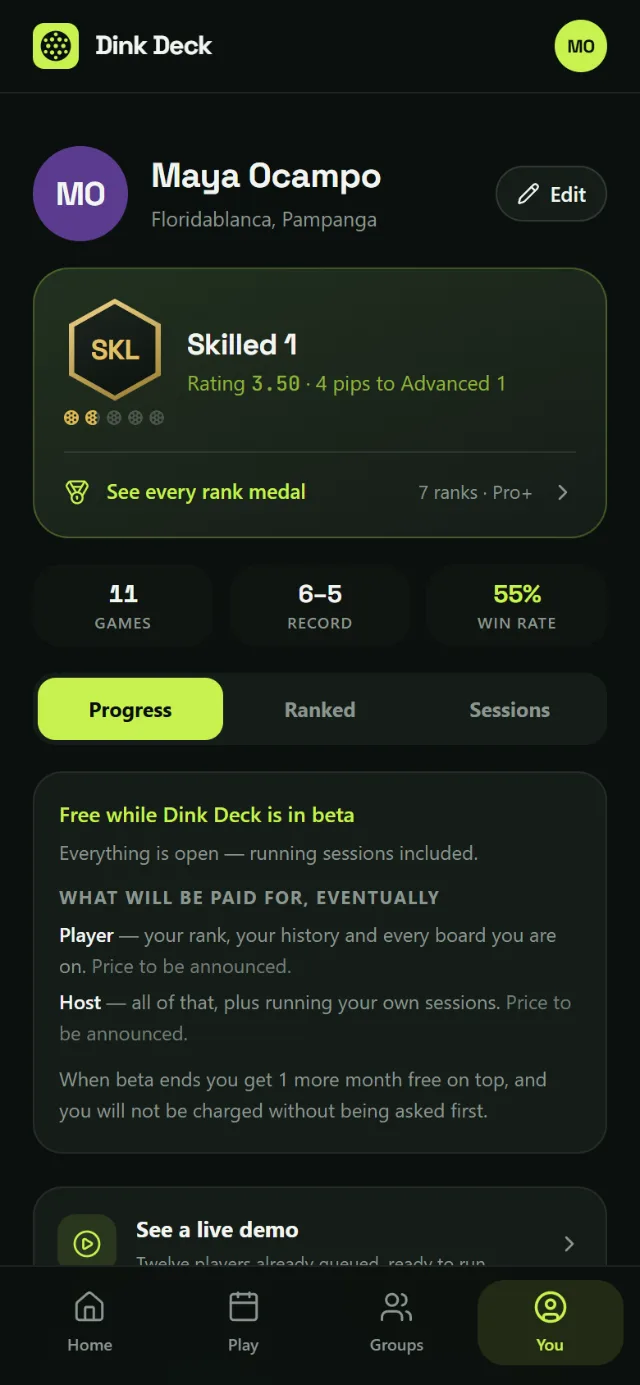
A player's standing: their rank medal, the pips toward the next rank, and what their last night did to their rating
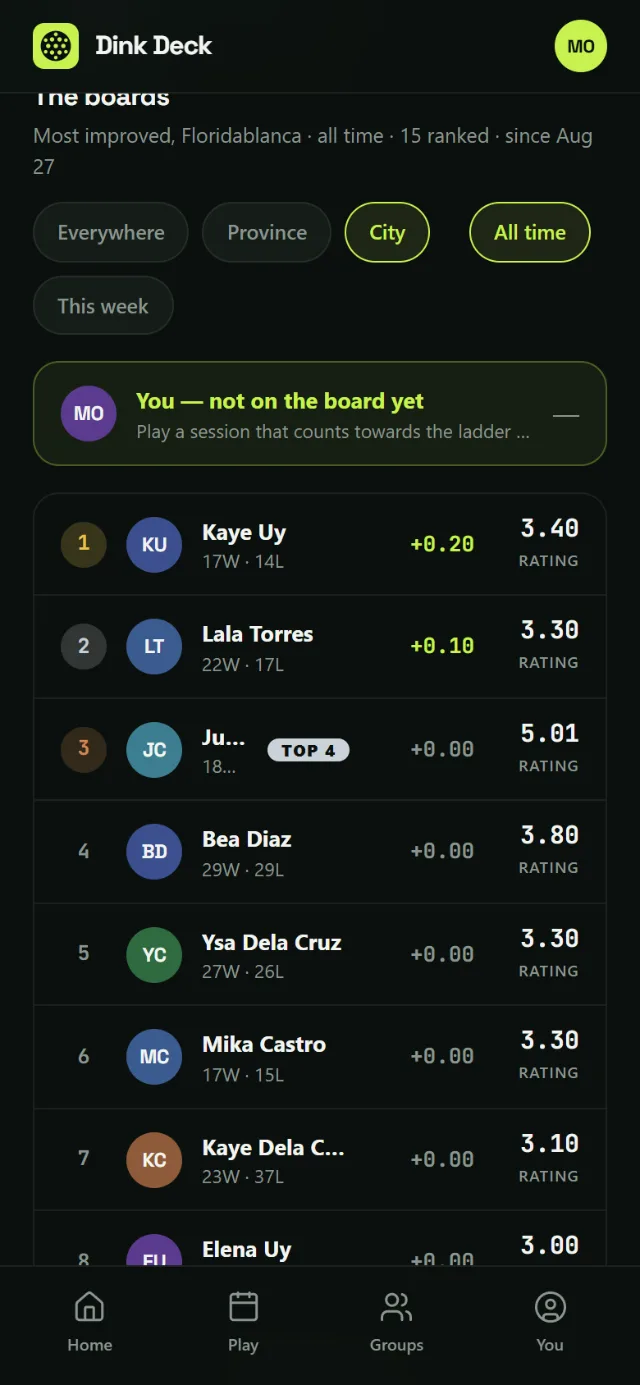
The Top 100 leaderboard for one town, ranked by rating

For players

A night on Dink Deck, start to finish.

From the group-chat link to the card you post the morning after.
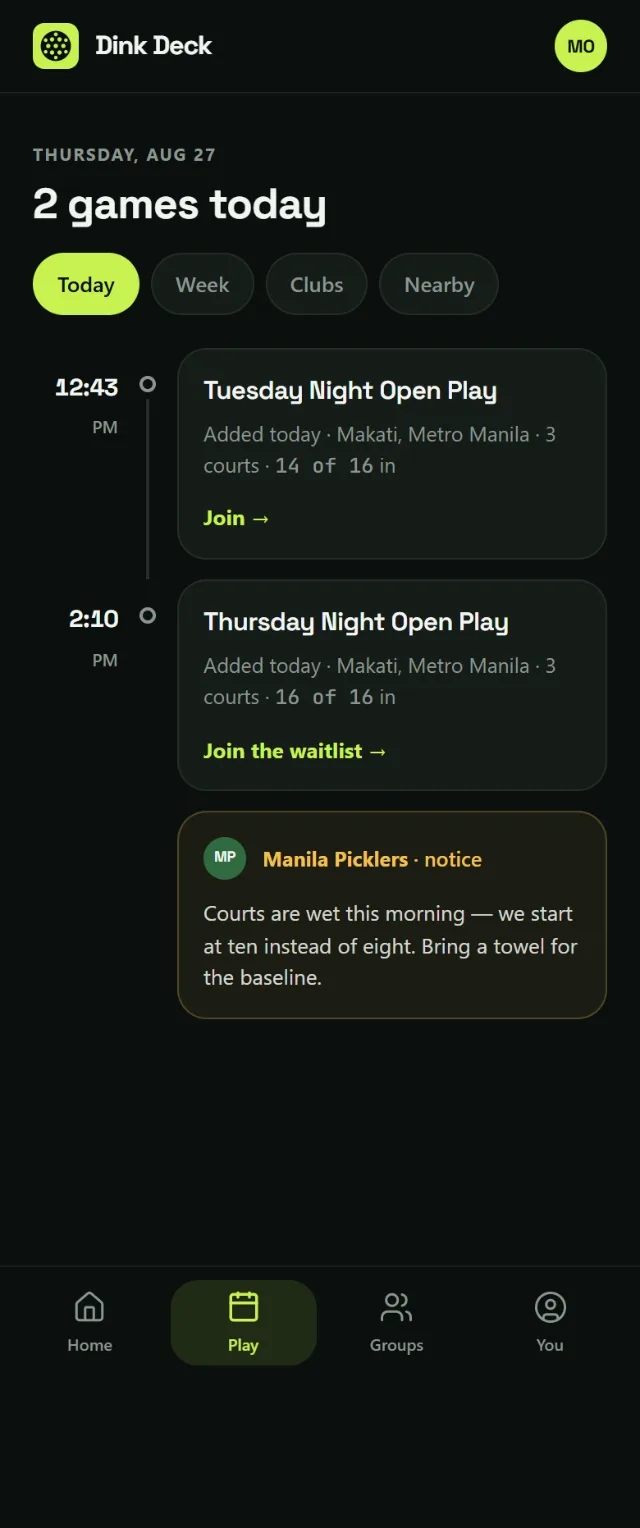
  1. The Play tab: tonight's open play sessions near you, with times, clubs and how many places are left

    1Find a night

    Open play near you, tonight and this week. Join in a tap, or take a spot on the waitlist.
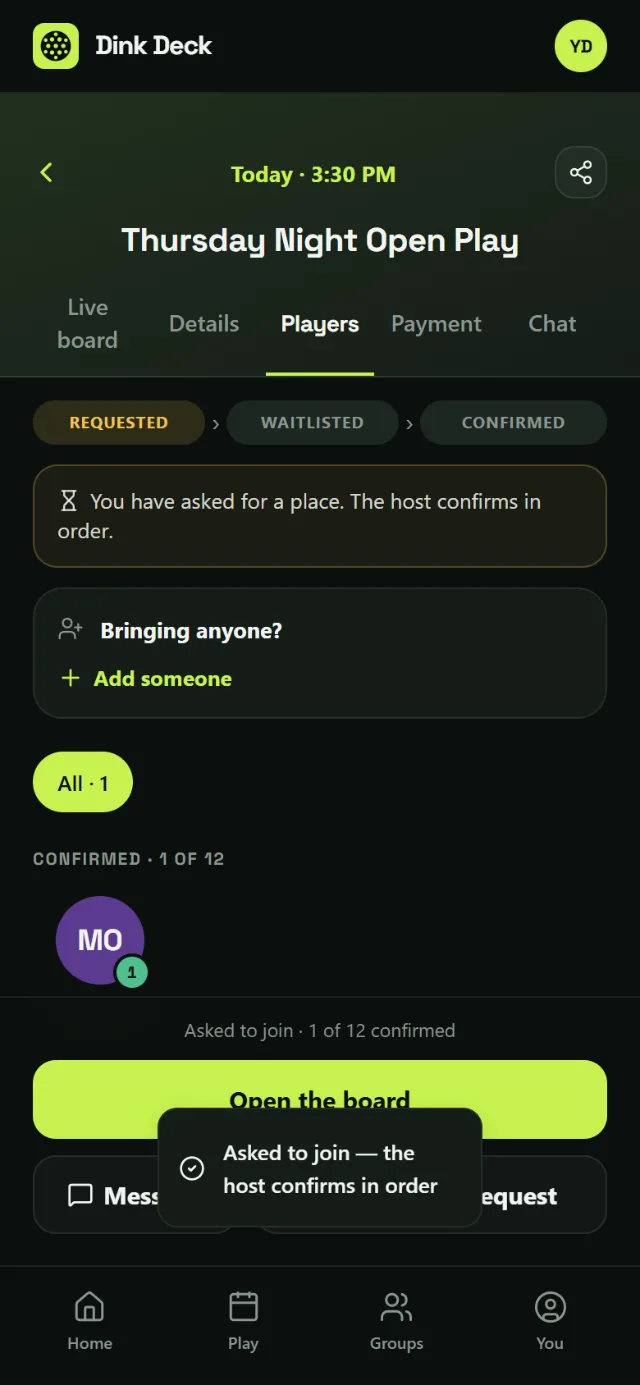
  2. A night's page: asked in and waiting for the host to confirm, with tabs for the live board, details, players, payment and chat

    2Get in

    Ask for a place and the host confirms in order. Bring a friend, and talk in the night's own chat.

  3. The live board on a player's phone: every court in play and their own place in the queue

    3Watch your turn come

    Your place in the queue on your own phone, live. No more crowding the whiteboard.
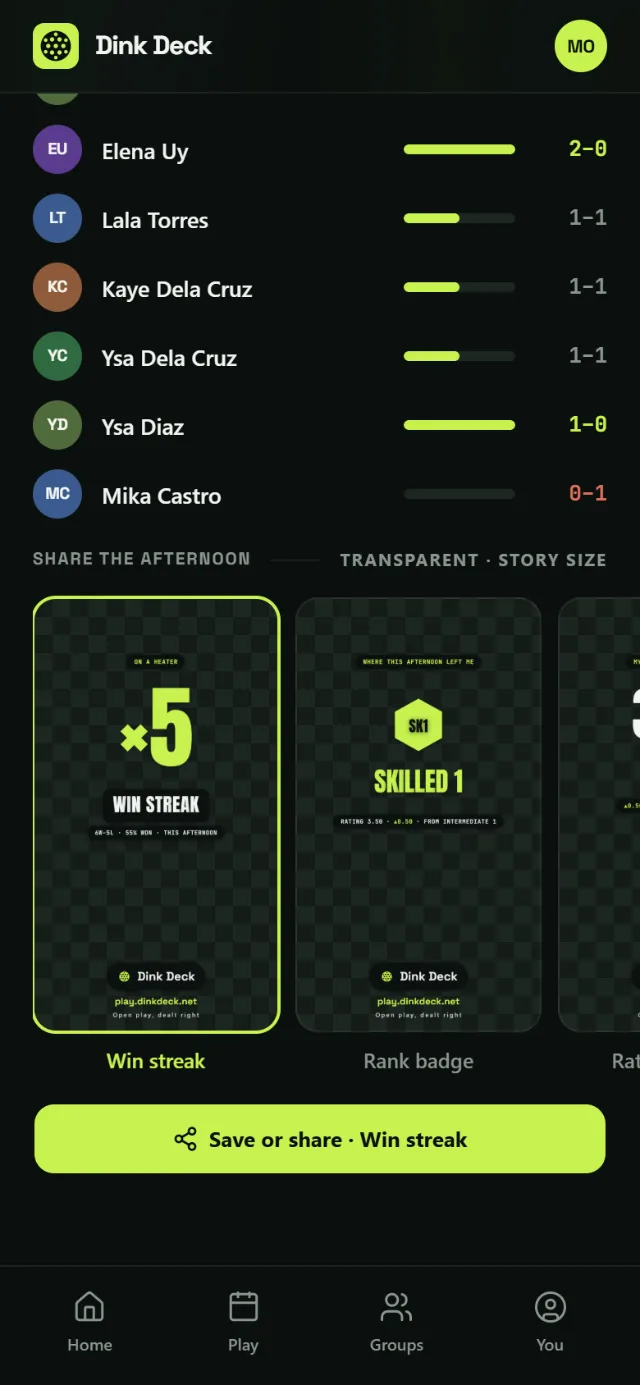
  4. A recap share card: the night's record, best partner and rating change, ready to post to a story

    4Post the recap

    Your record, your best partner, what the night did to your rank — as cards made for your story.

For hosts and clubs

From whiteboard to desk.

Everything the person running open play does by hand tonight — done in a tap, on a phone or a laptop.
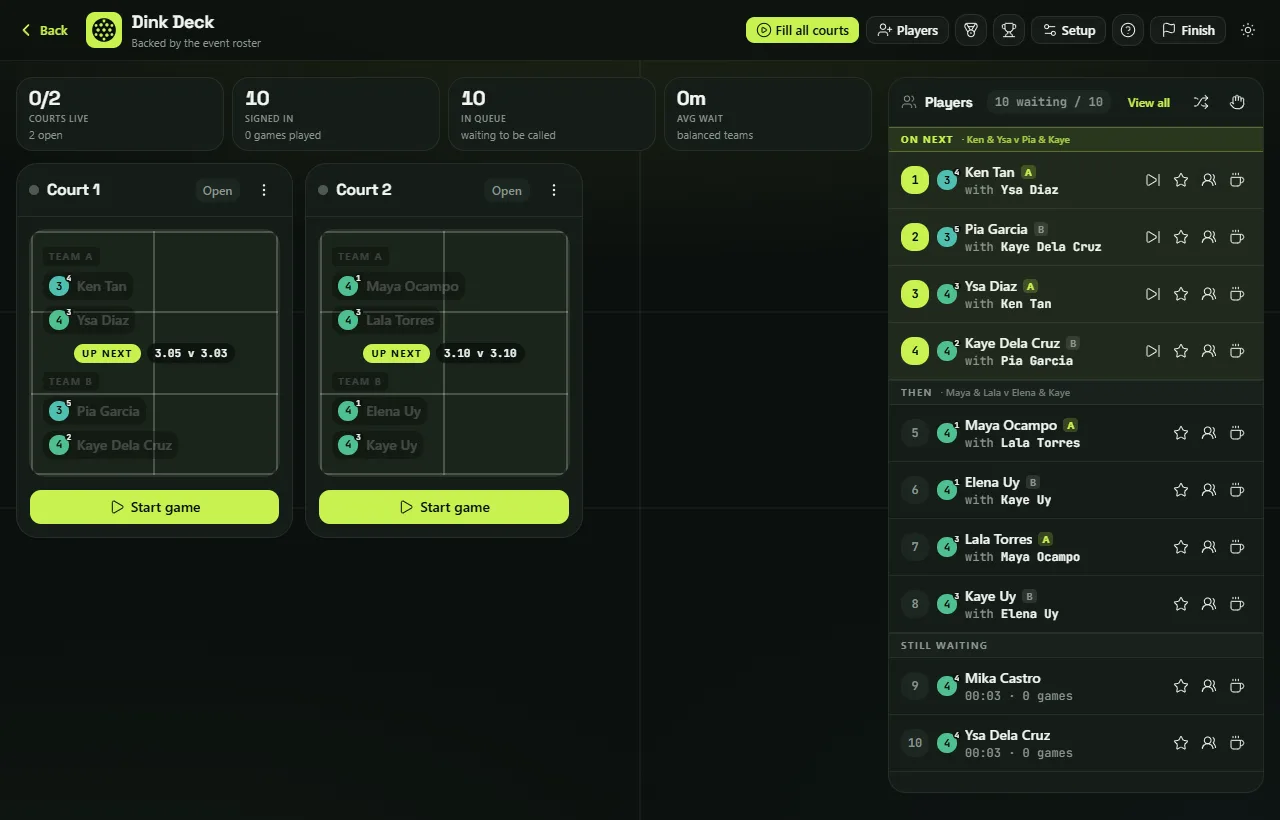
The host desk: a 'do this next' banner says which four to send to the free court, courts with balanced games, and the full rotation down the side
  • Post a night in three steps. Preview it first, edit it after, player cap included.
  • One tap checks everyone in, one tap fills every court. The desk tells you what to do next.
  • Up to 24 courts, planned together. Rearrange the rotation by hand and it sticks.
  • Dead wifi doesn't stop it. The desk keeps rotating offline and syncs results exactly once.
  • Walk-ups in seconds, and a typo'd name is fixed without losing their place.
  • Who paid, who owes, one nudge. GCash or cash stays between people; the app keeps the count.
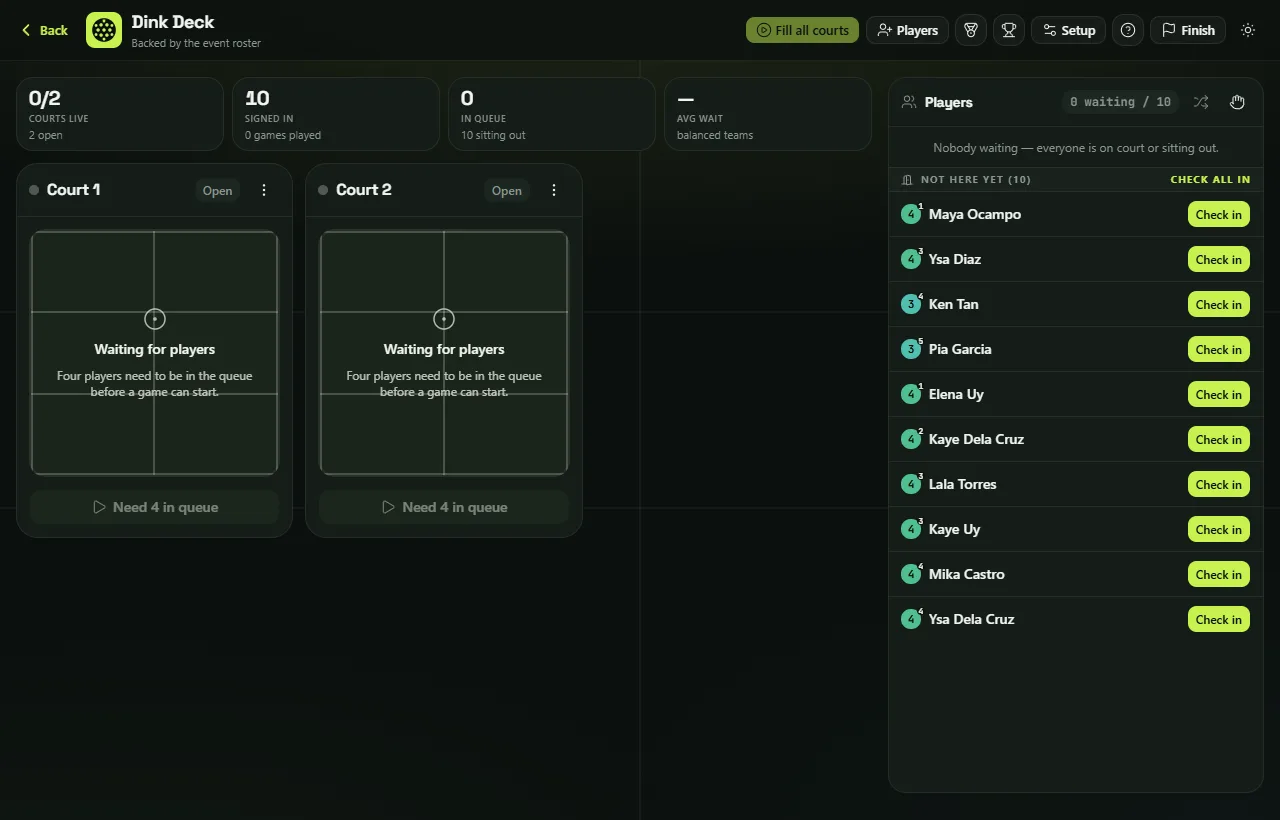
The desk's check-in list: everyone who signed up, each with a Check in button, and Check all in at the top

Check-in, done

The roster is whoever signed up. Tick them in as they walk through the gate — or all at once.
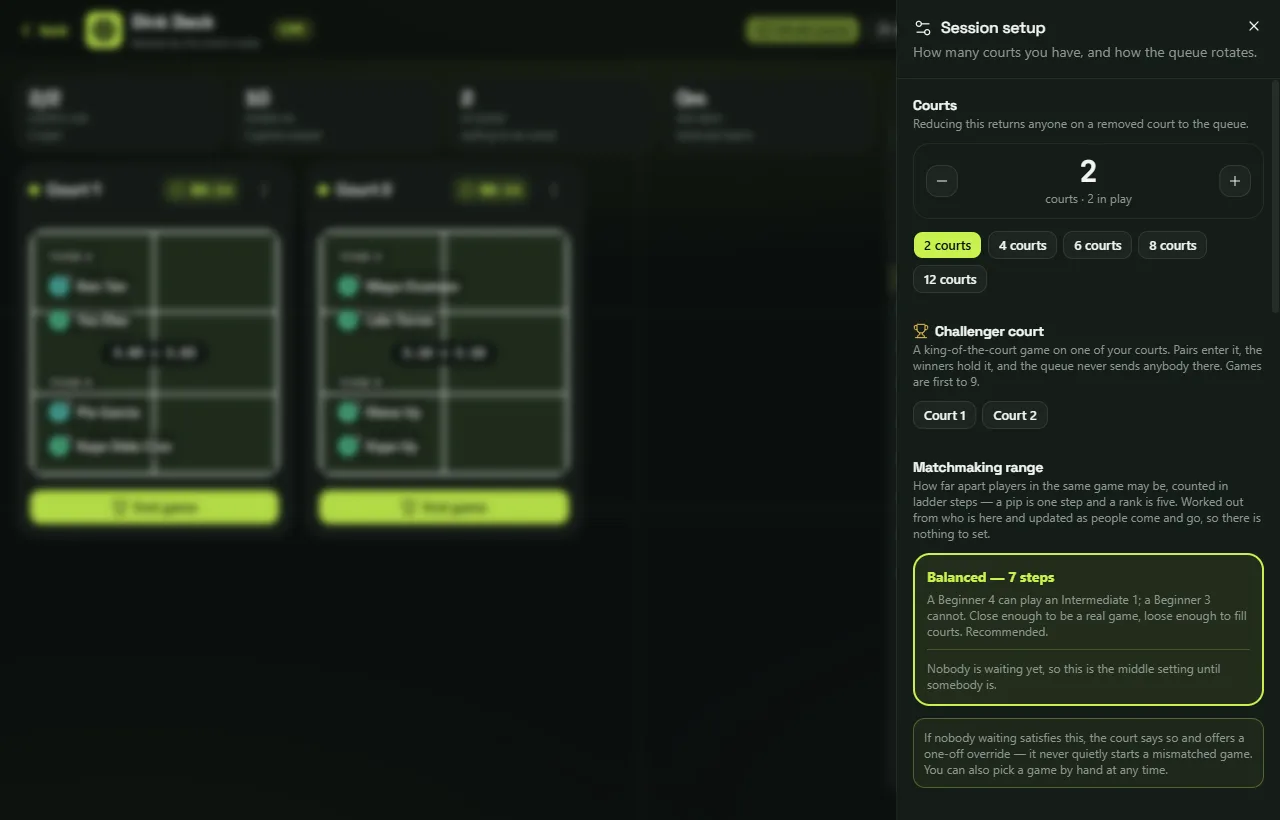
Session setup: choose a social night, competitive, beginners and mixed, or one that runs itself, and how many courts

Your night, your rules

Social, competitive, beginners & mixed, or one that runs itself. Game length, courts, and whether it counts for rank.
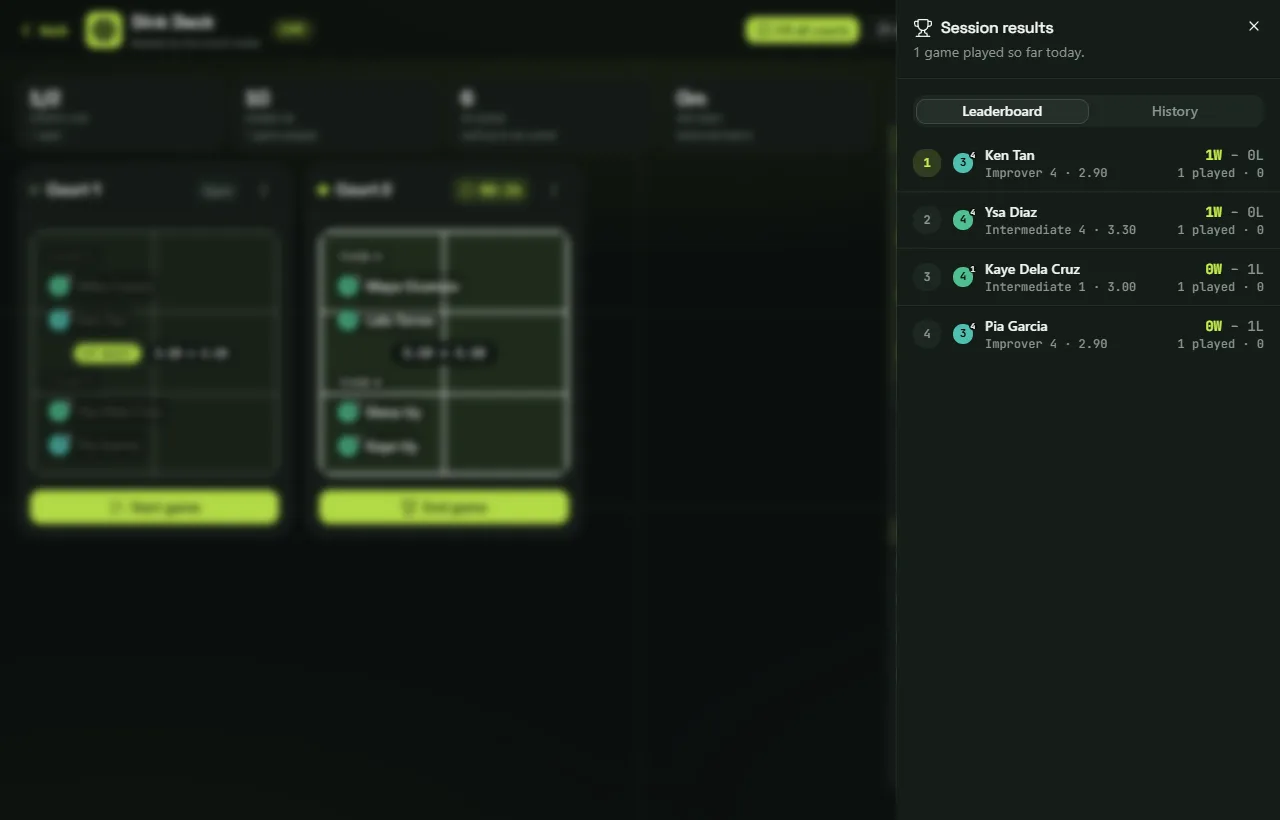
Session results: tonight's leaderboard, each player's wins, losses and rating

Scores in seconds

Ranks update themselves and promotions announce themselves. Tonight's leaderboard keeps itself.

King of the court

One court plays for the crown.

Flag any court as tonight's challenger court. Pairs join its line together, winners stay on to defend, and the regular rotation plans the other courts around it.

  • Pairs, never split — a loss sends you to the back of the line, not out of the running.
  • Short by design — first to 9 takes it.
  • Two roads to the crown — a straight run, or wins counted all night. The host picks.

Try it now

Run a night before you host one.

The real desk, already loaded with twelve players on four courts. No account, nothing to set up.
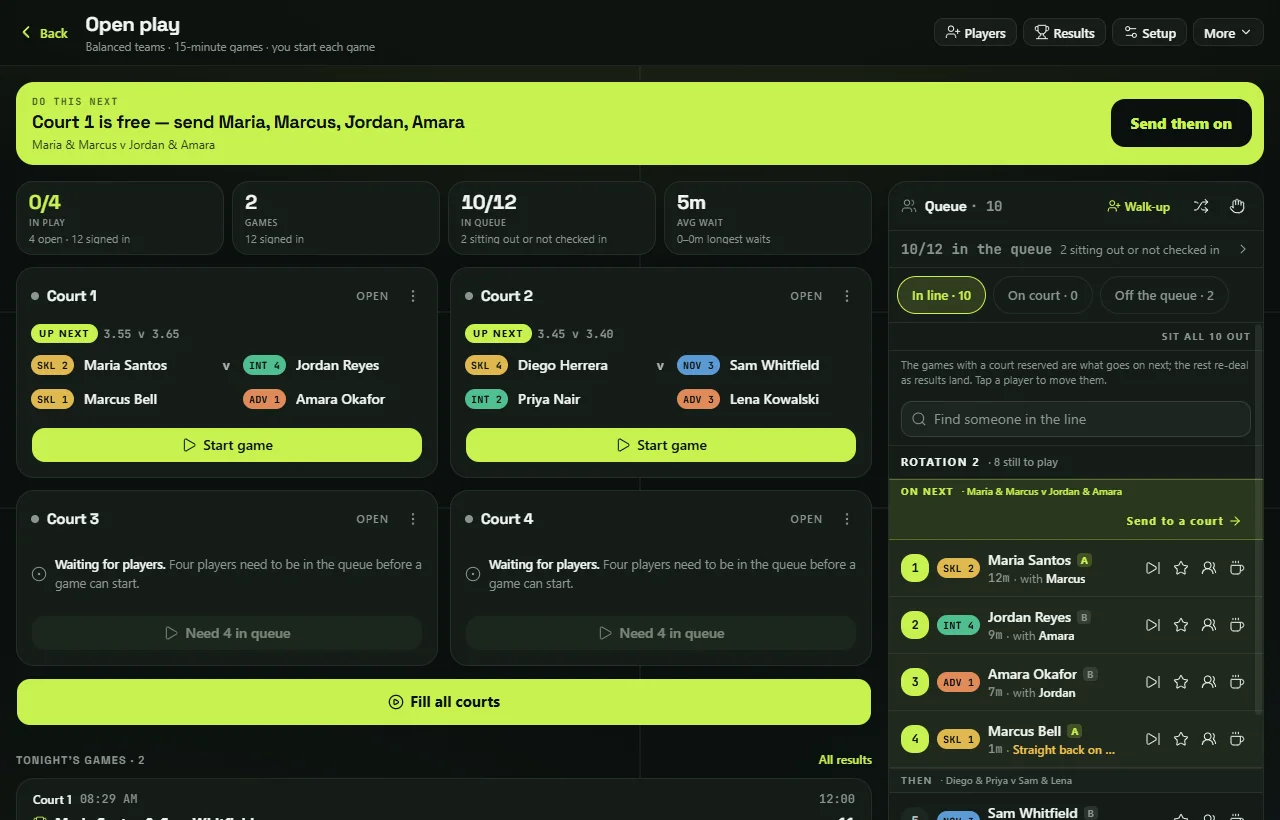
  1. 1Open the demo — it runs in your browser
  2. 2Take the walkthrough — it shows you the desk
  3. 3Run the night — start games, score them, try the challenger court
Open the live demo
The live demo: four courts and twelve players, ready to run

Book

No night posted? Book a court — or a coach.

Every court at a venue by the hour, and coaches with their open hours — priced up front, asked for in a tap.
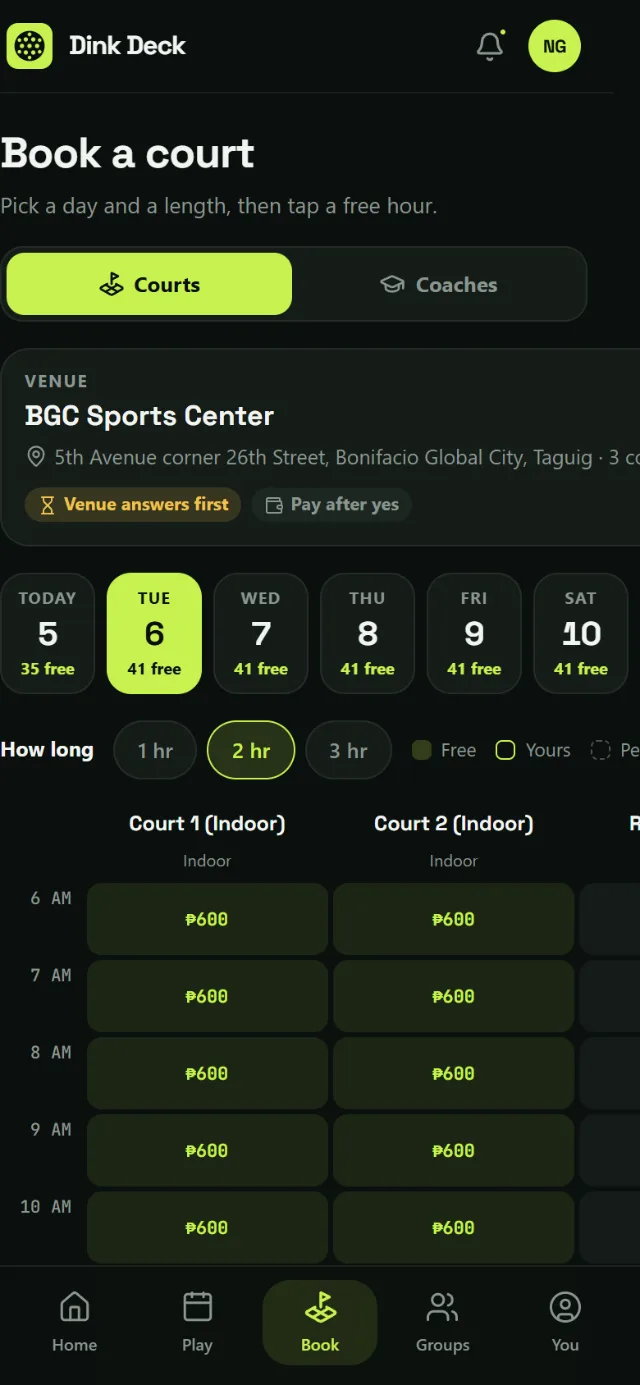
  1. Booking a court: the venue, a strip of days with free hours, the length, and every court as a column of hourly prices

    1Pick a venue and a day

    Every court at the venue as a column, every free hour with its price — evening rates included. Nearest venues first.
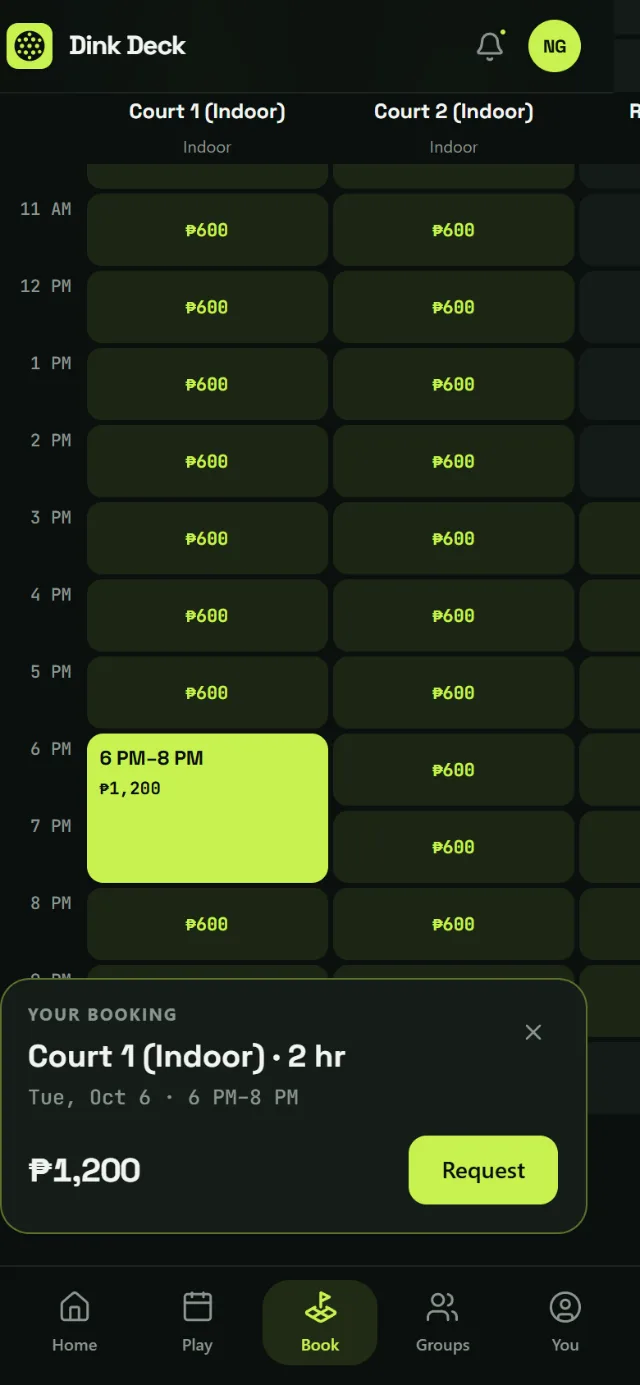
  2. Two hours picked on Court 1, with the total worked out at the bottom

    2Tap a free hour

    One, two or three hours from there. The total is worked out for you; a taken hour says who has it.
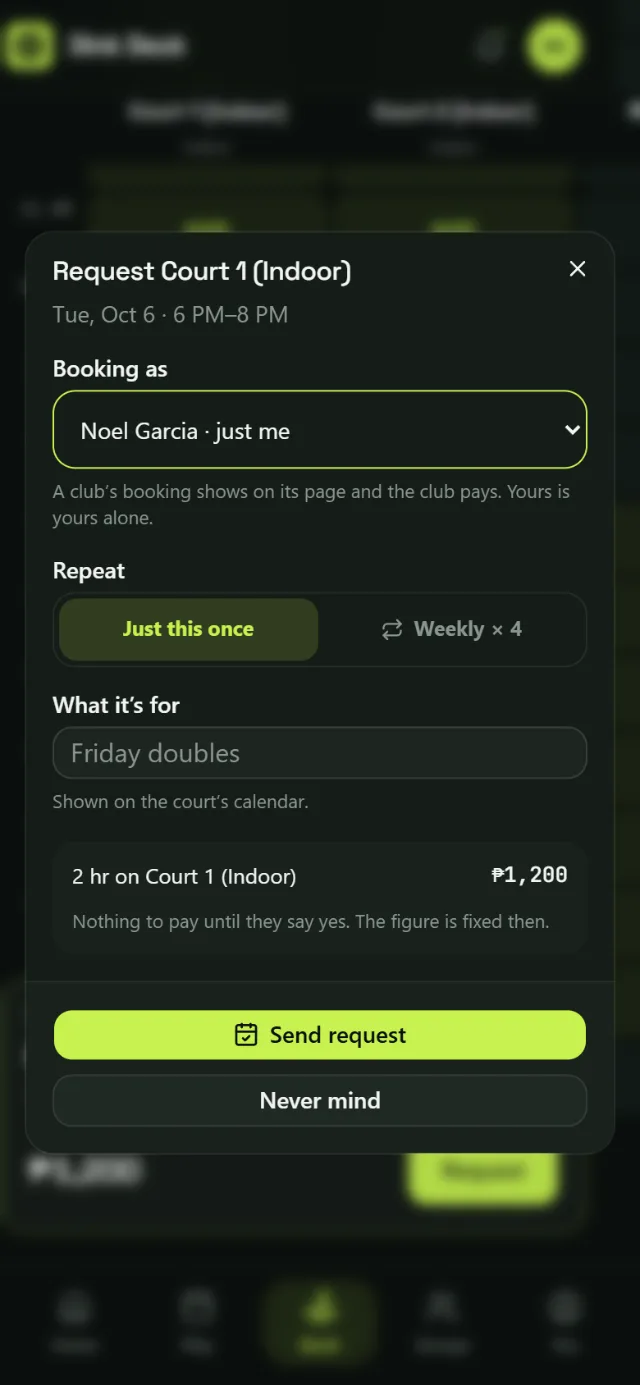
  3. Reviewing a court request: booking as yourself or your club, once or weekly for four weeks, and the price

    3Ask for it — or book it outright

    As yourself or for your club, once or weekly × 4. Held while the venue decides; some courts confirm on the spot.
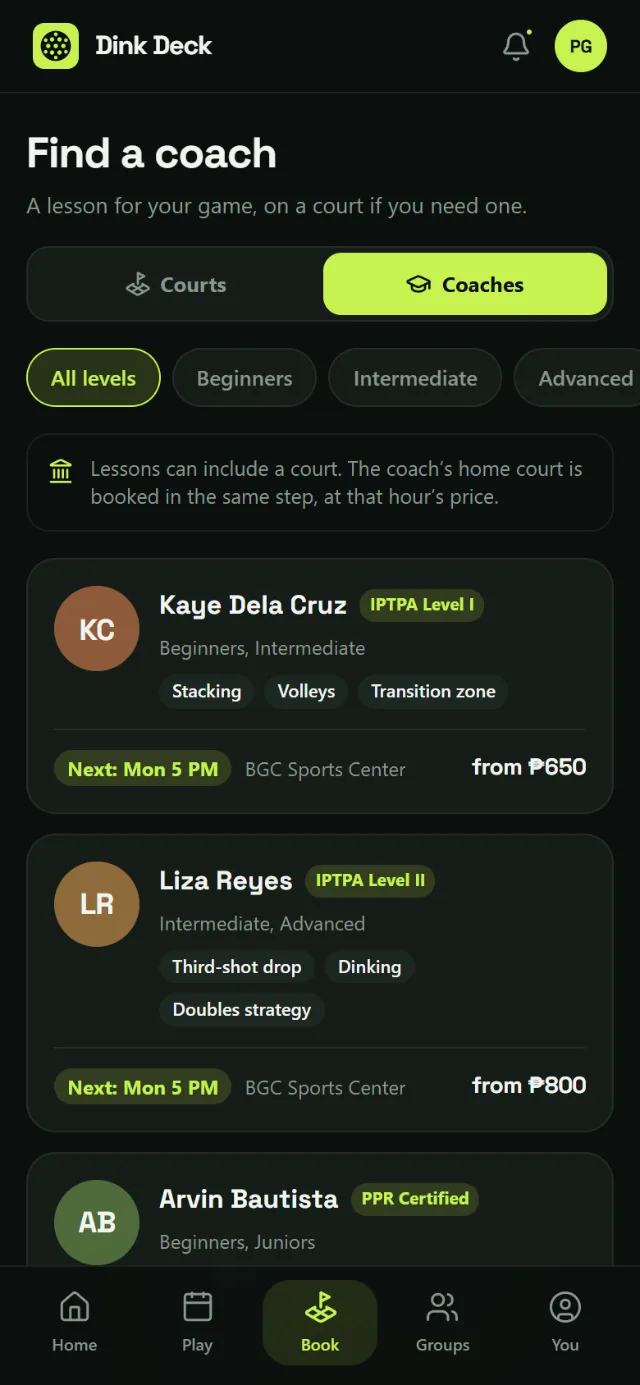
Own courts?

List your venue. Take bookings.

Your courts, rates, evening rates and opening hours. Every request from players and clubs lands in one queue — answer it, or let courts book themselves.

List your venue
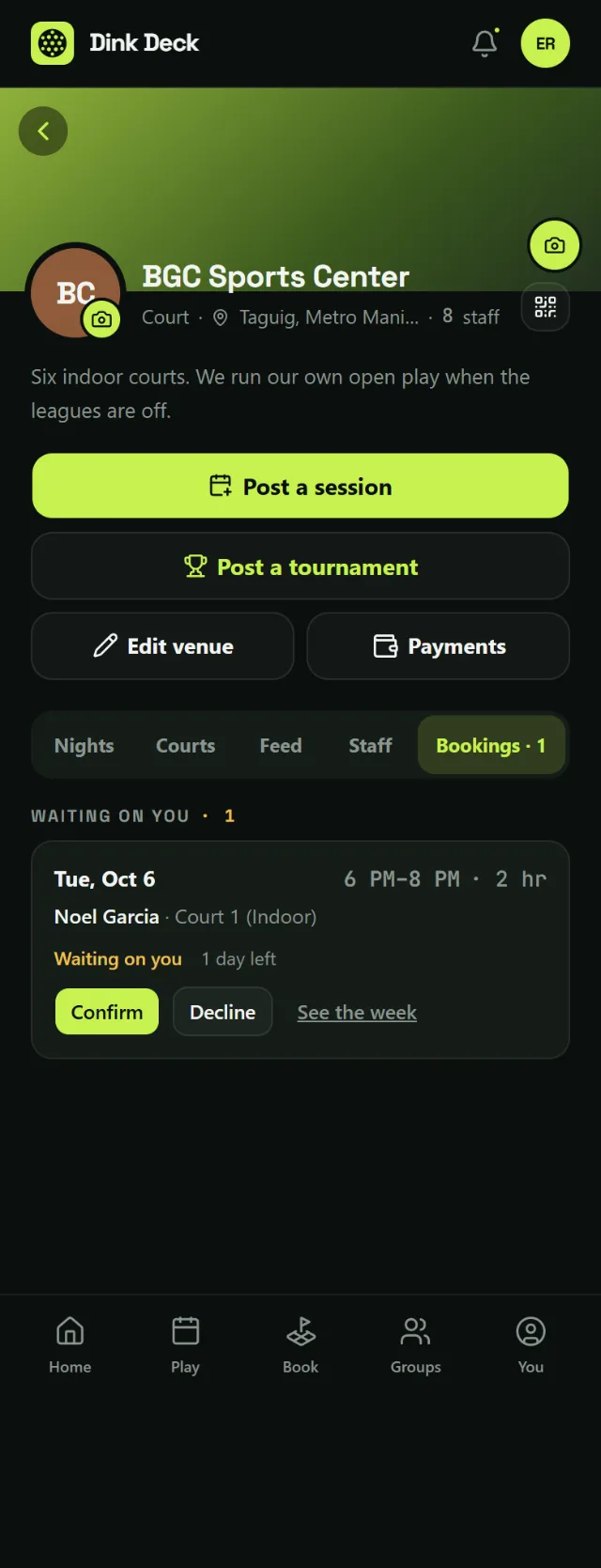
A venue's bookings: every request against every court, in one place

Teach?

Open your hours. Fill your week.

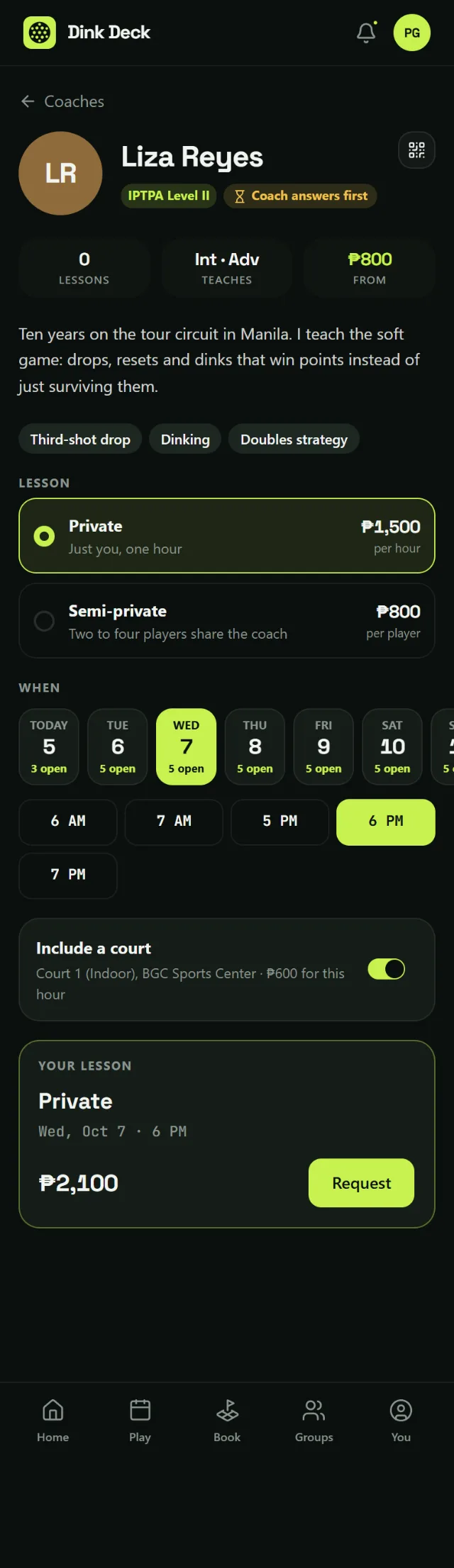
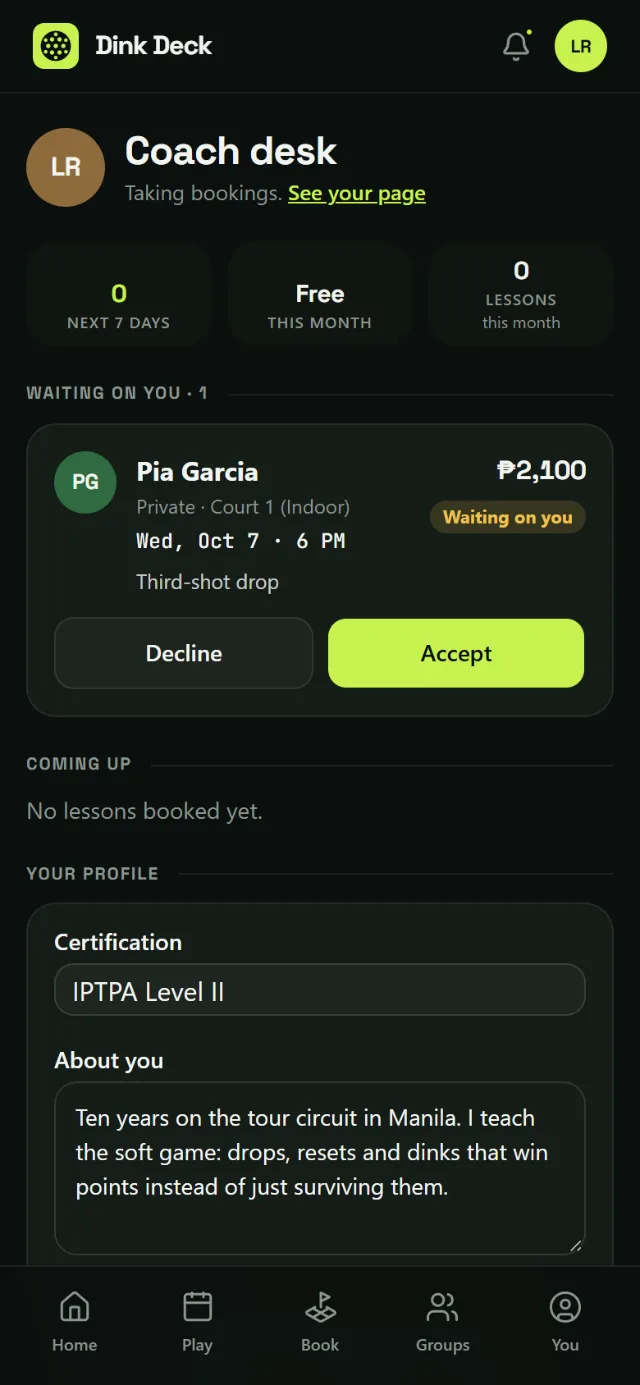
Who you teach, what a lesson costs, your home court and the hours you teach. Students book; you answer from your coach desk.

Start coaching
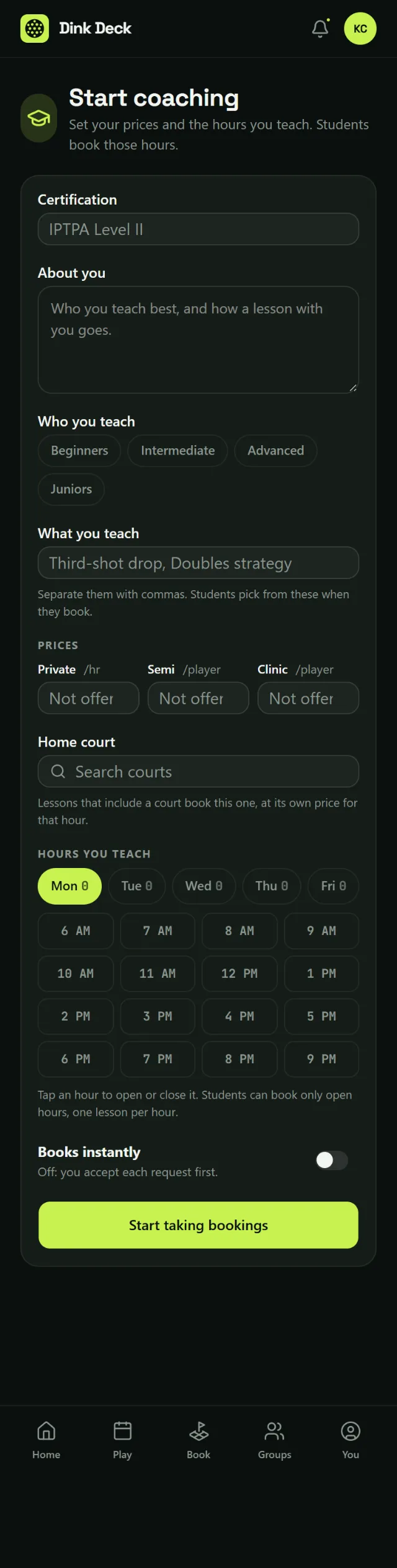
Start coaching: certification, about you, who and what you teach

Money stays between people — GCash or cash. Dink Deck shows the price and keeps the count; it never touches the payment.

Tournaments too

Divisions, a draw, standings.

Clubs post a tournament; players enter as a team of two. The desk builds the draw, scores every court, and the draw is live on everyone's phone.

A tournament's divisions as a player sees them, with how much room each has left

And the rest

Everything a real night needs.

A board anyone can watch

Tonight's board is live on the night's page. No account needed to look.

Every night has a chat

Who's bringing balls, who's running late — kept on the night, not lost in the group chat.

Hand your place over

Can't make it? Put your confirmed place up — the waitlist hears first — and it changes hands in one tap.

Commends

After a night, tag what was good — great partner, good sport, tough opponent. Positive only.

A home for your club

A public page, where you play, a feed and members — and every played night kept with its recap. Public or private.

Nothing slips past

Somebody asking for a place, a court or a lesson reaches you by push and by email — with one switch to quiet it all.

Top 100, three ways

The whole country, your province and your own town — plus who improved the most.

A QR code to post

Stick it on the fence. Players scan straight into tonight's board.

Phone or laptop

Runs in the browser on anything. Nothing to install, nothing to update.

New here?

A tutorial for both sides of the net.

Screenshots and short recordings of the real app, step by step. Read only the track you need.

  • Start hereMake an account, pick your level, find your way around.
    Everyone
  • For playersFind a night, get in, book a court or a coach, enter a tournament, read your recap.
    Players
  • For hostsStart a club, list a venue, coach, post a night, run the desk, run a tournament.
    Hosts

Straight answers

Questions people ask first.

Still unsure? Ask directly — a human replies.

No. Anyone with the link can watch tonight's board live. An account only matters if you want your record, ratings, and queue position to follow you.

Contact

Ask us anything.

Something the FAQ didn't cover, a problem you hit, or an idea for what Dink Deck should do next.

We reply by email.

It's all free

Open play, dealt right.

Joining nights, your rank, running a club — all of it, free right now. Nothing to install.